
What this error means
Many websites, cloud drives and video platforms don’t give out permanent download addresses. The link your browser received contained a signature, token or session that is only valid for a limited time (often 15 minutes to a few hours) or for one IP address. XDM downloaded part of the file, then the server started answering with 403 Forbidden, 410 Gone or 401 Unauthorized. That’s the server saying “this ticket is no longer valid”, not that the file is gone.
The bytes XDM already saved are safe. Fetch a fresh link for the same file, and XDM continues from the exact byte where it stopped.
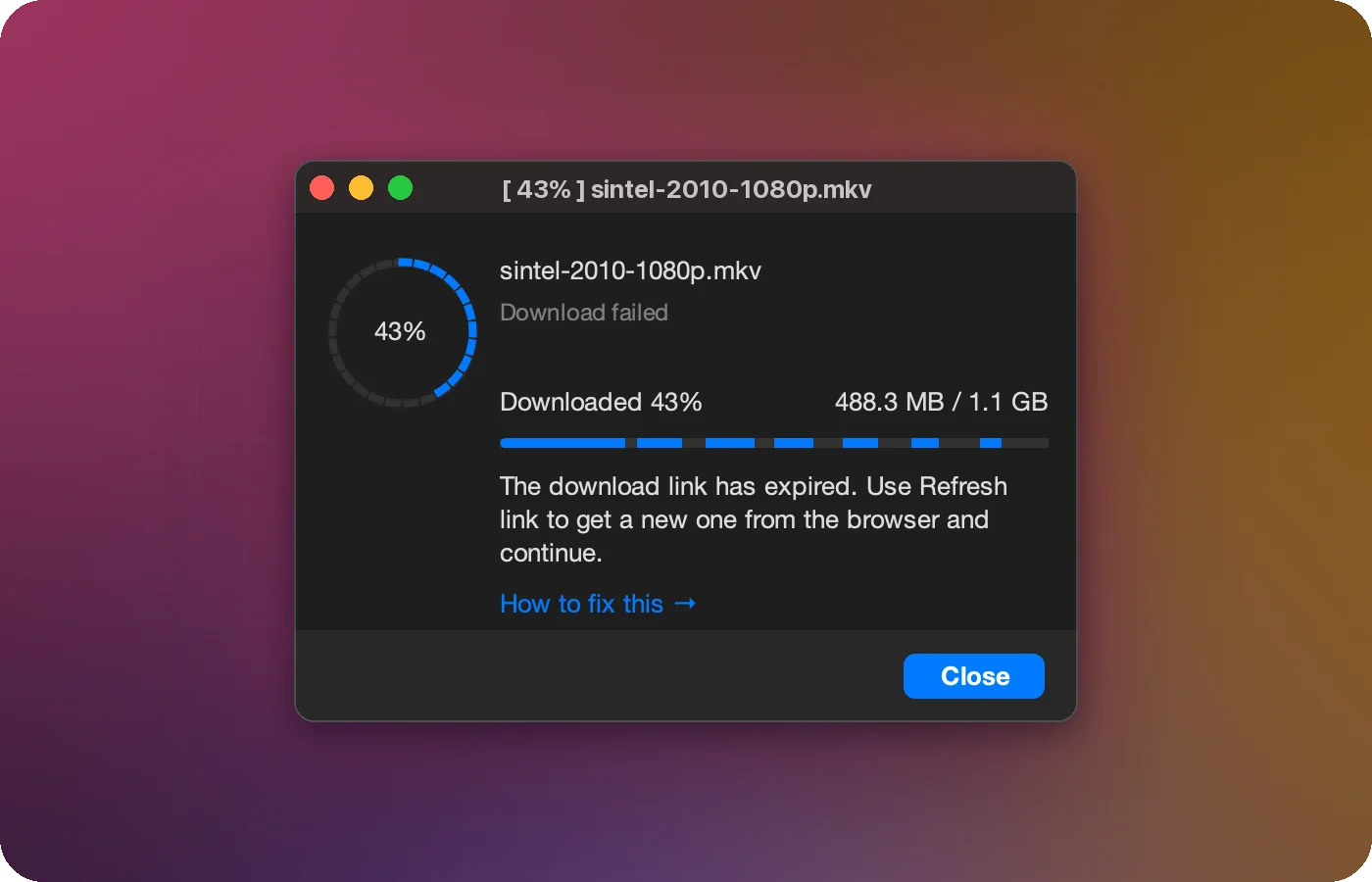
Fix it with Refresh link
- Select the download in the XDM list. Its status shows the failure.
- Right-click → Refresh link (it appears while the download is paused or failed).
- In the dialog, keep Refresh from browser selected and click Open containing web page. XDM opens the page where you originally found the download.
- Trigger the download again in the browser. Click the same download button. For a video, play it and choose the same quality you downloaded before.
- XDM shows “New download link found, use this link?”. Confirm, and the download resumes.
If the download has no web page recorded
Downloads added by pasting a URL don’t remember a web page. In that case choose
Enter link manually, paste a fresh link, and add any request headers the site
needs (cookies go into a Cookie header). Click Apply, then resume.
Why it keeps happening
| Situation | What to do |
|---|---|
| The site issues links valid for a short time (cloud storage, file hosts) | Start the download soon after clicking, and use Refresh link when it expires. |
| The link is tied to your IP address and your IP changed (VPN switch, mobile network) | Refresh the link from the same network you’ll keep using. |
| You paused overnight | Expected. Refresh the link in the morning and resume. |
| You must be logged in | Make sure you’re still signed in to the site in the browser before refreshing. |
Tip: pick the same file or format
XDM continues from the byte where it stopped, so the new link must deliver the identical file. If you pick a different video quality or a different file, the parts won't fit together. Choose exactly what you downloaded before.
Related errors
- Session expired: similar, but the server rejected the session from the start of the resume.
- Server does not support resume: the server can’t continue partial downloads at all.