
Download responsibly
Only download videos you have the right to save: your own uploads, content with a download-friendly license, or videos the site's terms allow you to keep. XDM does not bypass DRM and does not capture videos on YouTube.
How video detection works
Websites rarely play a video as a single file. Most use adaptive streaming (HLS or DASH): the video is cut into small segments, with several quality levels, and audio often in a separate stream. The XDM extension watches which streams the page’s player loads and lists them. When you choose one, XDM downloads all the segments in parallel and combines video and audio into a single file, with no extra tools required.
Step by step
- Check the setup. XDM is running and the extension is installed and pinned.
- Open the page and press play. Let the video play for a few seconds so the player loads its streams.
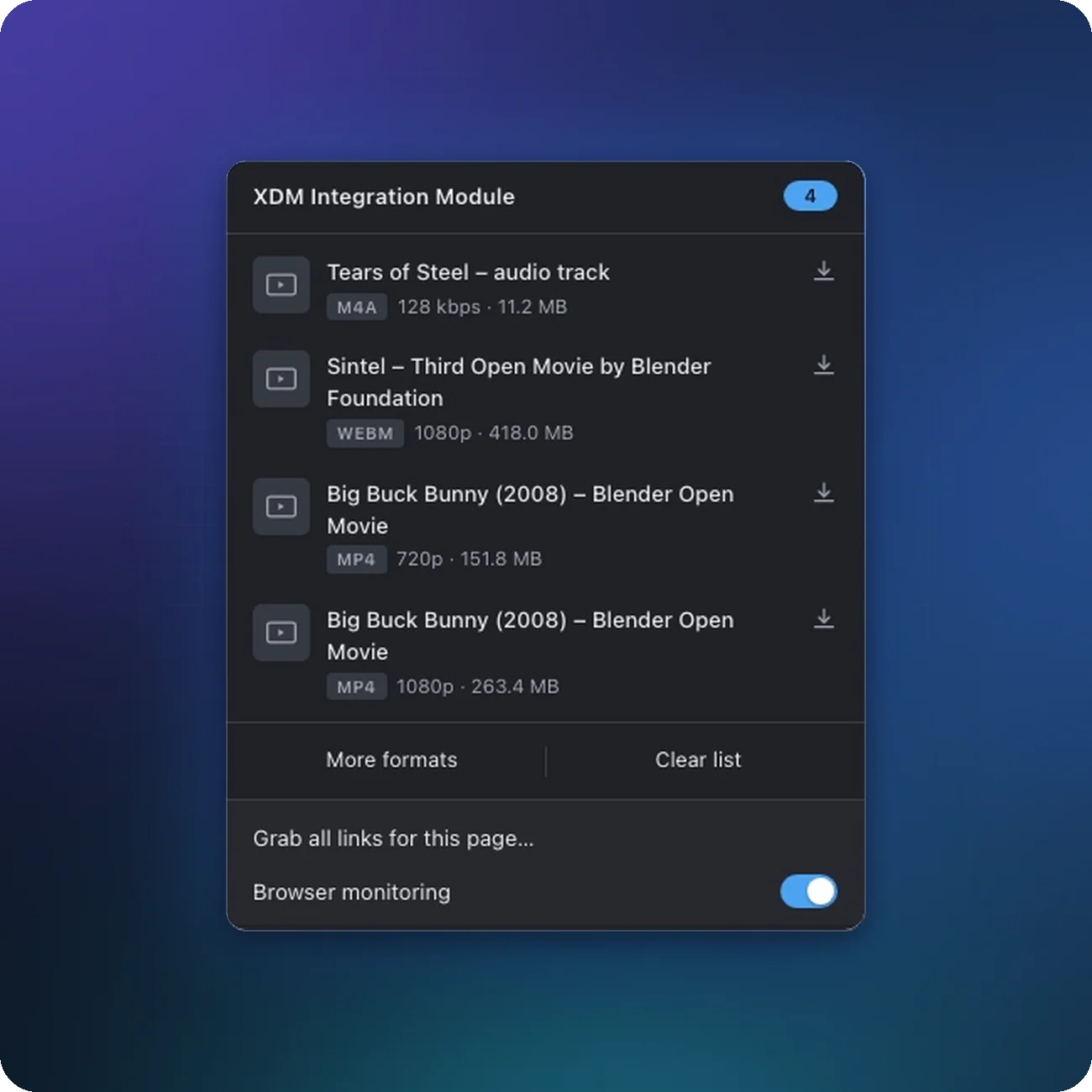
- Click the XDM icon in the browser toolbar. Its badge shows how many videos were found.
- Pick a format. The list shows the video's name and quality. Click More formats to see every quality the site offers.
- Confirm in XDM. Check the name and folder, then click Download.
Getting the quality you want
- Many players start in low quality and switch up. If a quality is missing, select it in the website’s player (the gear icon). The extension then picks up that stream too.
- Seeking or replaying the video also helps the player load more formats.
- Very short clips are ignored on purpose (ads, previews). Lower Settings → Browser → Only detect videos larger than if a short video doesn’t show up.
Audio, subtitles and file format
- When a site streams audio separately, XDM downloads both and merges them. You get one file with sound.
- The output is a standard container (usually MP4) that plays in any media player.
No “Download video” option?
See video not detected. Common reasons: the extension can’t access the site, the video is too short, the site uses DRM, or you’re on YouTube. You can also load a stream address by hand. See Download HLS and DASH streams.